Free public beta · macOS (Apple Silicon)

Find any photo. On the cloud you already own.

Semantic search, people, and a map — added to the cloud storage you already use (pCloud, kDrive, or your own drive). Every model runs on your Mac. Nothing is uploaded to us.

The free public beta is open. Download Aubora and use the free tier straight away — no sign-up. Register your email for a free license that unlocks the full beta — and beta testers get a discount when the full version launches.

Download for Mac · Apple Silicon Free during beta · Apple Silicon · Intel Mac

No card, ever · your free license arrives by email the moment you register.
Aubora searching a photo library for "Beach" — a grid of matching beach photos, all indexed locally on this Mac. Aubora map view — the same photos placed on a map of where they were taken.
1,240 photos found in a second — all on your Mac.
The case

You shouldn't have to choose between finding your photos and keeping them.

Google Photos

Why not just upload everything?

Because the price of that convenience is handing every face, place, and private moment to an ad company. Aubora gives you the same search without giving anything away.

Self-hosting

Why not run Immich?

Because a server, a database, and backups are a second job. Aubora is a desktop app with nothing to host — it runs on the cloud drive you already pay for.

Folders

Why not just scroll?

Because forty thousand photos don't scroll. Type what you remember — the content, the place, the person — and it surfaces in a second.

What it does

Three ways to find anything — all on your device.

Point Aubora at your cloud storage. It reads, understands, and indexes your library locally, then stays out of the way until you need it.

Search

Search by what you remember

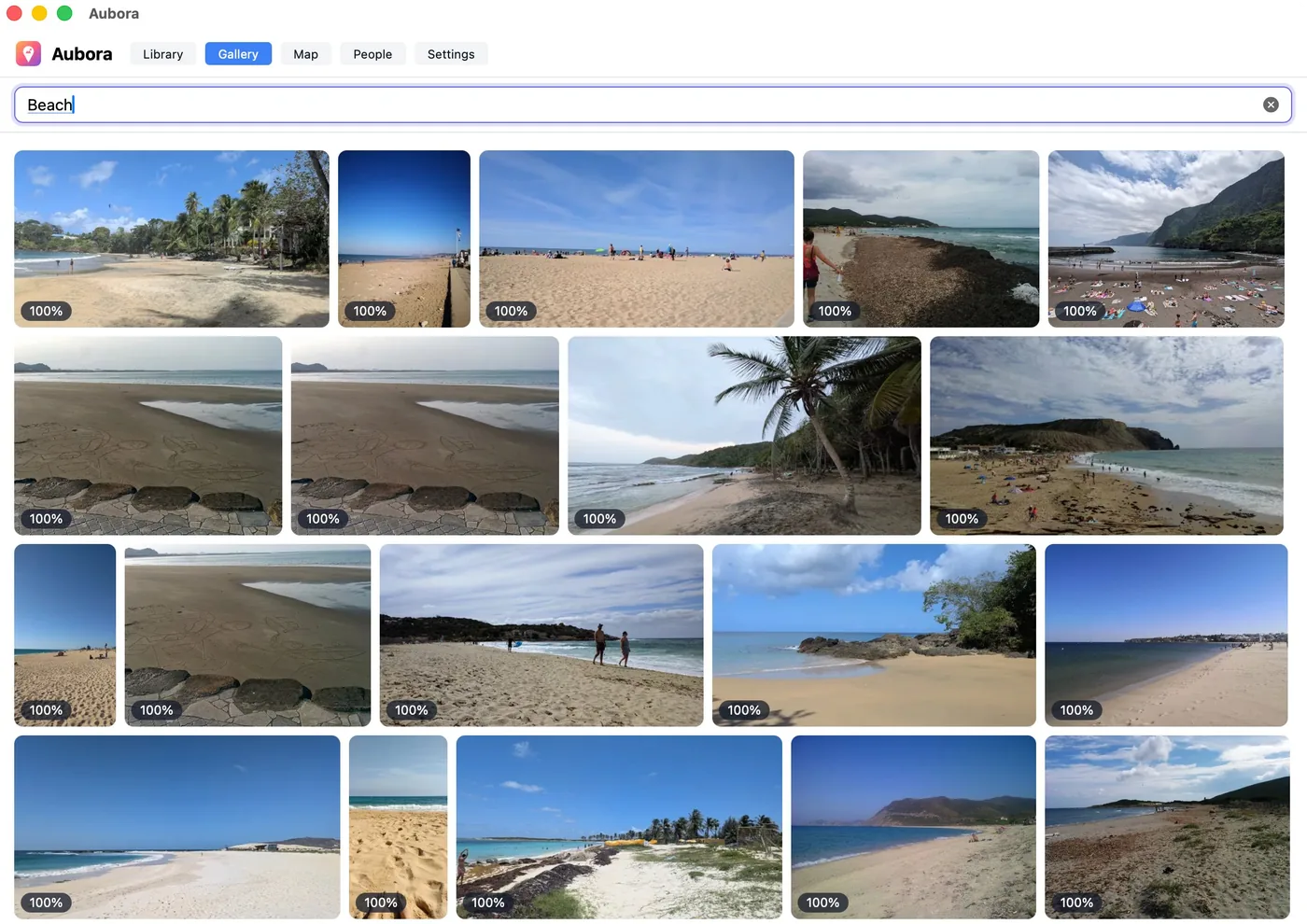
"Beach." "Red boat at sunset." "Snow on the mountains." Describe the photo in plain words — Aubora understands the content. No tags, no albums, no upkeep.

Aubora Gallery showing results for the search Beach: a grid of beach and coastline photos.
People

Everyone, gathered

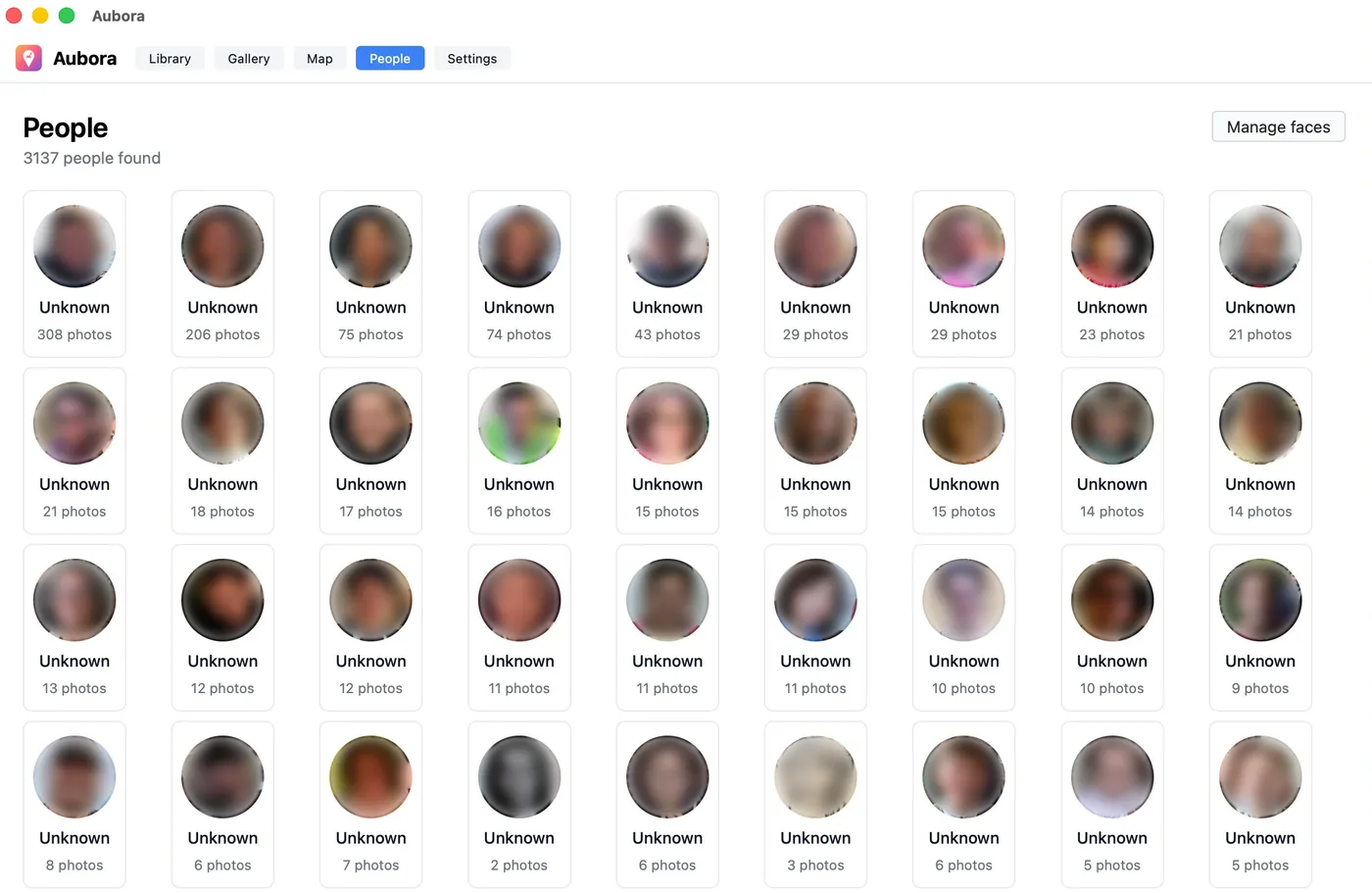
Aubora groups the faces across your whole library — here, over three thousand people — so one tap finds every photo of someone. Name them, merge groups that match, or split one that doesn't; it learns as you go. Every face stays on your machine.

Aubora People view: a grid of grouped people with photo counts; each face blurred for privacy.
Places

Your travels on a map

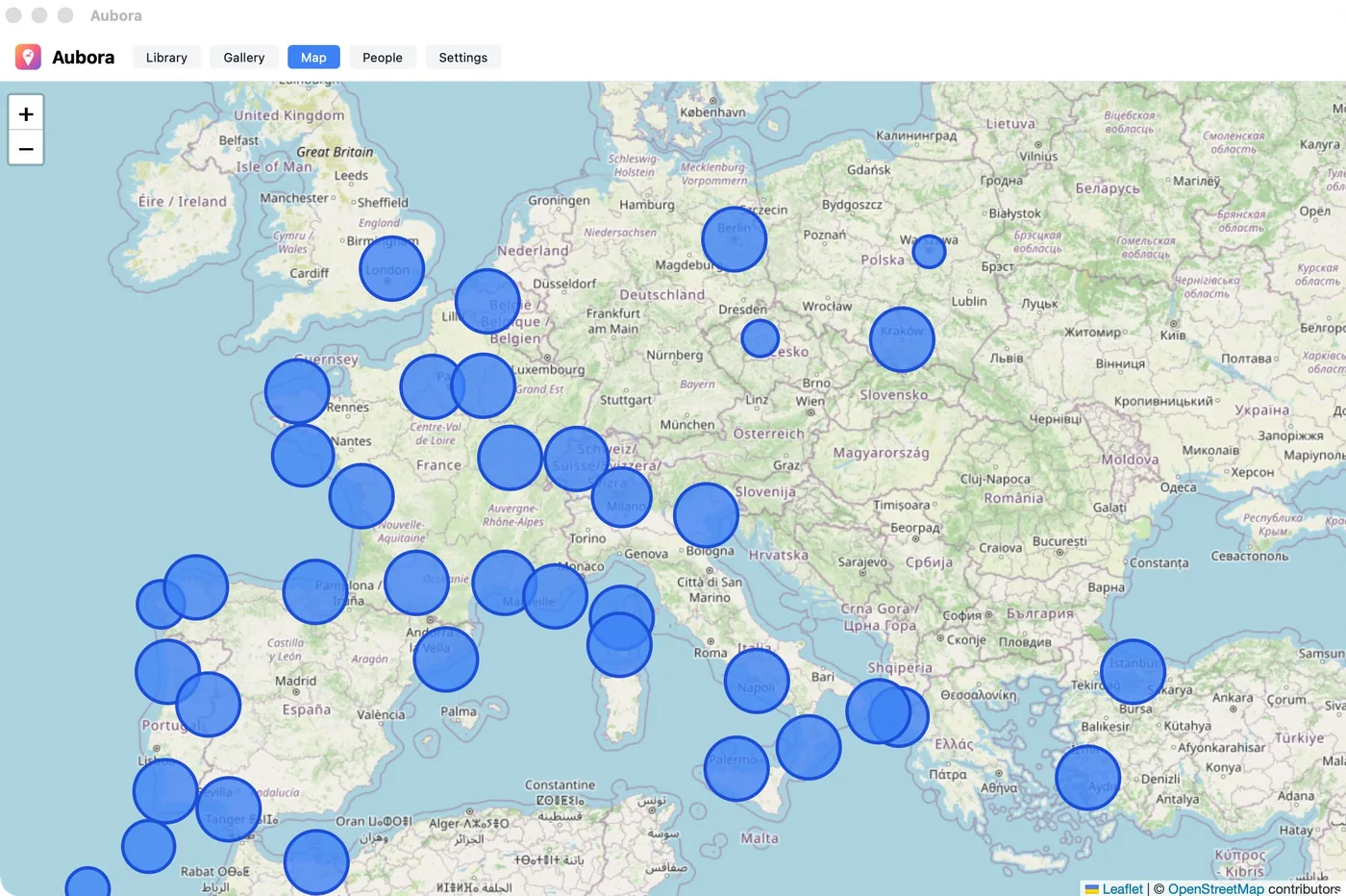
See where your life happened. Aubora reads the location your camera already saved and lays your photos across a map — every trip, every harbour, every place you stopped.

Aubora Map view showing clusters of photos across Europe and the Mediterranean.
Your control

Your photos never leave your control.

Aubora is not a cloud. Your photos stay on the storage you chose; the index stays on your devices. There's no Aubora server holding your library — because there's nothing for us to hold.

On your device

Nothing is uploaded to be analyzed

All search and face recognition run locally, offline. Your photos aren't sent anywhere for processing — not to us, not to anyone.

Off by default

Place names stay private

The map works from the location your camera already saved. Looking up place names is optional and off until you turn it on — otherwise only coordinates are used, on your machine.

Hide anything

You decide what's visible

Hide a photo, a face, or a whole person — held out of every view and restored in a click. Optionally, hide every photo a hidden person appears in.

Your cloud, encrypted

Sync that's still only yours

Across devices, your index travels through your own cloud, encrypted with your passphrase. It never passes through Aubora.

How it works

The intelligence lives with you, not with us.

01

Connect your own cloud

pCloud, Infomaniak kDrive, Dropbox, or a folder on your disk — the storage you already use. Aubora reads from it; it never copies your library to a server of ours.

02

It indexes on your machine

Search, faces, and places are computed locally on your own hardware, offline. New photos are noticed and indexed on their own — no full re-scan.

03

Your index syncs through your cloud

Use more than one device and the index travels through your own storage, encrypted — same everywhere, still only yours.

Fits your setup

Built for how you actually work.

Storage you already pay for

pCloud, Infomaniak kDrive, Dropbox, or a local folder. Connect once and point Aubora at your photos — nothing to migrate.

New photos, handled for you

Aubora notices when new pictures appear and indexes just those — no waiting on a full re-scan every time.

More than one library

Keep separate libraries for separate sources, each with its own people and settings, and switch between them.

As much control as you want

An expert panel exposes the clustering, detection, and search thresholds. Re-cluster or re-index on demand, see which models are installed, and rebuild from scratch whenever you like.

How it compares

All the power of the big photo apps. None of the trade-off.

 
Aubora
Google Photos
Self-host
Semantic search & faces
Yes
Yes
Yes
Photos stay private
Yes
No
Yes
No server to run
Yes
Yes
No
Uses storage you own
Yes
No
Partly
One-time price
Yes
No
Free
Questions

The things you're right to ask.

Where do my photos actually go?
Nowhere new. They stay on the cloud storage you already own. Aubora reads from it to build an index, and that index lives on your devices. There's no Aubora server holding your library, your faces, or your locations.
How is this different from Immich?
Immich is excellent, but it's a server you set up, secure, and maintain. Aubora is a desktop app with nothing to host — it works directly on the cloud drive you already pay for. Same search and people features, no sysadmin.
Which cloud storage works?
At beta, pCloud and Infomaniak kDrive — privacy-minded, European providers. More are planned. If the library mounts as a drive on your computer, Aubora can work with it.
Does the AI run in the cloud?
No. Understanding content, grouping faces, reading locations — all of it runs on your own Mac. The intelligence comes to your data, instead of your data going to someone else's.
How does accuracy compare to Google Photos?
On content search and grouping faces, Aubora is strong. On hard or unusual faces you may give up a little raw accuracy versus the big cloud services — the trade is that nothing leaves your machine and your library stays yours. For most people the difference is hard to notice; for some, the privacy is worth it on its own.
What if my cloud provider changes their API?
Aubora reads from your storage but doesn't own it. Point it at a mounted drive and it just works. Where it connects through a provider's API and that provider changes or breaks something, that connection may need an update — we adapt as quickly as we can. It's an honest dependency, and worth knowing up front.
What's in the free tier?
Aubora's free tier needs no sign-up: download it and it works on your 2,000 newest photos, with semantic search and the map. People management — renaming, merging, and hiding faces — isn't included. The index itself isn't capped, though: Aubora still indexes your whole library, so registering for a free beta license (or buying the full version later) unlocks every photo and the people tools instantly, with nothing to re-scan.
What will it cost?
The beta is free. After that, Aubora is a one-time purchase — buy it once, own it, no subscription. Beta testers get a founding price at launch.

Be there when the sun comes up.

The free public beta is open. Register your email and we'll send your free license right away.

Download for Mac · Apple Silicon Intel Mac

No card, ever · your free license arrives by email the moment you register.
Under the hood

For the curious.